Apple Wallet and Google Wallet push notifications: engage your passes

Lock screen notifications, reminders near your stores, offers and seasonal designs: your passes follow your campaigns, from the back office or your CRM.

Request a demo
Notification push Apple Wallet sur l'écran de verrouillage d'un iPhone

Push notifications

Your messages on the lock screen

Two kinds of notifications, with no app to install: the ones you send, and the ones the phone triggers near your stores and venues.

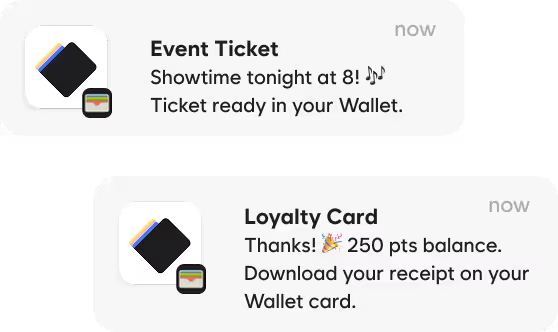
Exemples de notifications wallet sur l'écran de verrouillage : rappel de billet, proximité boutique, nouveaux avantages
Apple Wallet notification on an iPhone lock screen: a free coffee is waiting at the museum

Standard notifications

You choose the message, the passes and the timing: sent now, scheduled or triggered by your CRM. Apple Wallet shows your text on the lock screen, Google Wallet alerts the customer up to three times per pass every 24 hours.

Location-based notifications

Near a store, a venue or a stadium, the phone brings up the pass with your message. Up to 10 addresses per pass, on Apple Wallet and Google Wallet.

Customers stay in control

They can turn off notifications for a pass at any time from their wallet. Few, useful messages remain the best rule.

The automation tool

Your wallet campaigns in five steps

The Engagement module in the back office guides your marketing teams from idea to send, with no development.

A step-by-step assistant

Each automation is built over five screens, from choosing the campaign to checking it.

  1. Type: the kind of campaign to run
  2. Timing: now, on a date, on a recurring basis or around a pass date
  3. Audience: all passes or a selection
  4. Message: the text shown on the phone
  5. Summary: a final review before activation
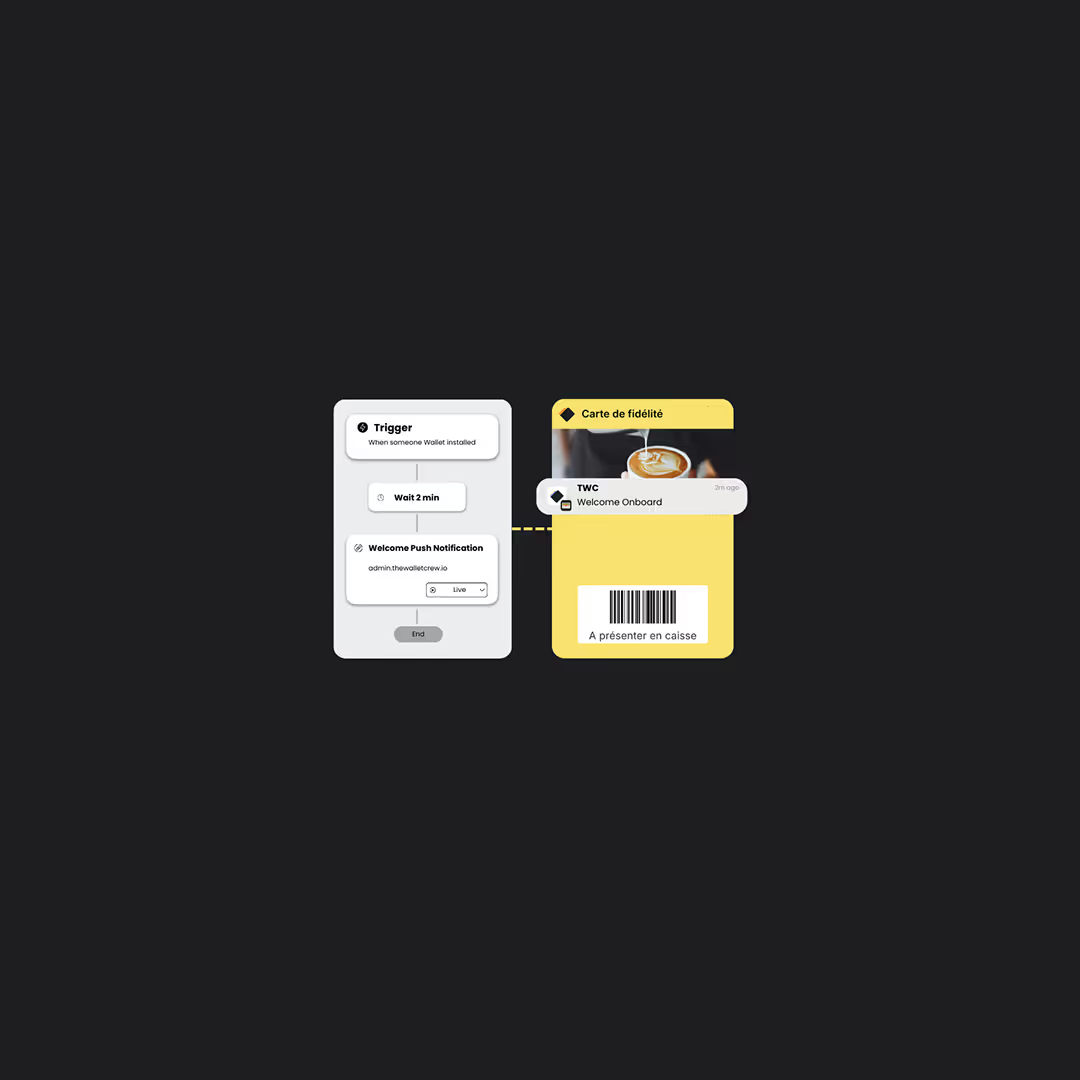
Builder d'automations du back-office avec une notification wallet programméeAutomation builder in the back office with a scheduled wallet notification

Triggers

Send now, on a fixed date or on a recurring basis, before or after a pass date, or as soon as the pass is installed.

Targeting

Filter by wallet, pass template, pass data or customer identifiers.

History

Every run is logged in the back office: you know what went out, and when.

Benefits

Benefits that live in the pass

A discount, a gift, VIP access or a reward to unlock: the benefit shows in the customer's wallet and is redeemed in store, without reissuing the pass.

Un avantage attaché au pass, visible par le client et utilisé en caisseA benefit attached to the pass, seen by the customer and redeemed at checkout

Created, shown, redeemed

Benefits are created from an automation, your CRM or the API. They appear on the Apple Wallet and Google Wallet pass with a title, an image, terms and a link.

  • Several active benefits on the same pass
  • Redeemed at checkout with Pass Scanner or your POS
  • Every use is recorded, and can be reversed

Single use

A free coffee, a discount voucher: used once, then it is gone.

Unlimited

An ongoing discount or free shipping, as long as the benefit is valid.

Multi-use

A ten-entry pack or five drinks: each visit uses one.

Unlockable

Buy ten, get one free: the benefit appears once the goal is reached.

Marketing connectors

Your marketing platform drives the wallets

The Wallet Crew connectors plug into your marketing platform. Your teams engage passes from their usual journeys, and wallet events flow back into your segments.

In your journeys, with no development

The Wallet Crew actions sit in your scenarios, next to your emails and SMS. Updating the customer profile in your tool can be enough to update the pass.

  • Salesforce Marketing Cloud
  • Bloomreach
  • Klaviyo
  • Actito
  • Brevo
  • Batch
  • Adobe Campaign (flat file)
  • Imagino (flat file)

Engage

Update a pass, send a notification, switch theme or add a benefit, at the step of your choice in the journey.

Distribute

Drop a personalized add-to-wallet link into your emails and SMS: each customer gets their own pass.

Segment

Installs, uninstalls and scans flow back into your tool to target, follow up or exclude.

Available actions and events vary by connector.

Features

Keep your passes alive all year

The right message before the event

For a ticket or a booking, the pass date brings it up as the event approaches. An automation can also send a reminder a few hours before.

Pass de billet affiché sur l'écran de verrouillage avant l'événementTicket pass shown on the lock screen before the event
Notification de proximité sur Apple Wallet et Google Wallet près d'une boutiqueProximity notification on Apple Wallet and Google Wallet near a store

Reminders near your locations

Add the addresses of your stores, venues or sites: nearby, the pass appears on the lock screen. Apple Wallet also supports Bluetooth beacons, for a reminder at the entrance of a venue.

Seasonal designs

Prepare themes for the holidays, sales or a key moment, then apply them to your passes for the length of a campaign, by hand or through an automation. No need to reissue passes.

Engagement essentials

Native notifications

On the lock screen, with Apple Wallet and Google Wallet, no dedicated app.

Automations

Scheduled, recurring or event-triggered campaigns.

Location reminders

The pass comes up near your stores and venues.

Seasonal designs

Themes to dress your passes for the length of a campaign.

Offers and benefits

Coupons, loyalty benefits and rewards attached to the pass.

Tracked clicks

Links on the pass are tracked, campaign by campaign.

For technical teams

Messages that start from your systems

Update API

Change the data of one pass or a batch of passes: the notification follows the update.

Marketing connectors

Ready-made actions for Salesforce Marketing Cloud, Bloomreach, Klaviyo, Actito or Brevo.

Apple change message

Each field can carry its own notification text, translated per language.

Google messages

A message can notify without changing the pass, within the limit set by Google.

Locations and beacons

GPS coordinates and beacon identifiers set in the template or per pass.

Link tracking

Pass links tracked, with UTM parameters added automatically.

FAQ

Wallet notifications FAQ

Do you need an app to send notifications?

No. Notifications go through Apple Wallet and Google Wallet, already installed on your customers' phones.

How many notifications can you send?

Google Wallet accepts at most three notifying messages per pass every 24 hours. On Apple, each notification comes with a pass update. In all cases, few and useful messages work best.

What is the difference between a standard and a location-based notification?

A standard notification goes out when you decide, from the back office, an automation or your CRM. A location-based notification is triggered by the customer's phone when it gets near an address stored on the pass.

Do location reminders work on Android?

Yes, GPS proximity works on Apple Wallet and Google Wallet. Bluetooth beacons are specific to Apple Wallet.

Do you need consent to send offers?

Promotional messages usually require explicit marketing consent, separate from the phone's notification settings. The sign-up form can collect it.

Which marketing tools are connected?

Ready-made connectors exist for Salesforce Marketing Cloud, Bloomreach, Klaviyo, Actito, Brevo and Batch, plus flat-file exchanges for Adobe Campaign and Imagino. Depending on the tool, they distribute passes, engage them and bring wallet events back. Other tools use the API and webhooks.

How is a benefit redeemed in store?

The customer shows their pass. Your team scans it with Pass Scanner or your POS, and the use is recorded on the pass. One pass can carry several active benefits at once.

Can you measure a campaign's impact?

Apple and Google report neither notification opens nor pass views. The Wallet Crew measures clicks on pass links, installs and uninstalls.

Ready to turn your Wallet cards into a relationship channel?

Robust, scalable Wallet as a Service platform