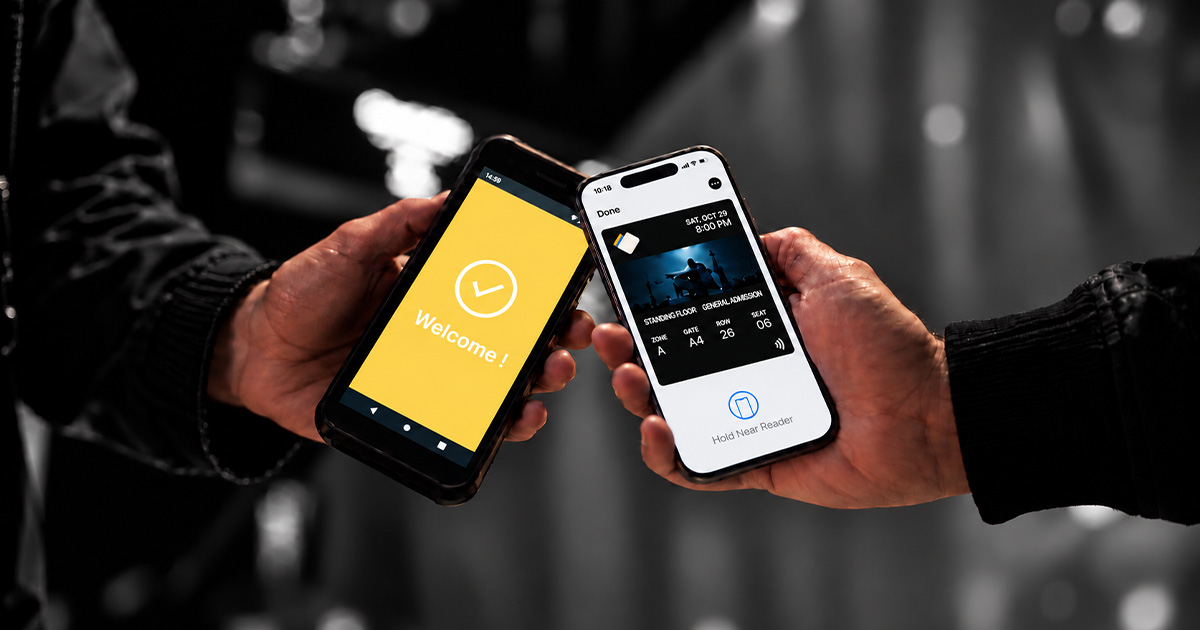
Since iOS 18, event tickets in Apple Wallet no longer look like a boarding pass. Apple calls the new format the poster event ticket; most people simply call it the new or enhanced event ticket. It gives the ticket a full event artwork, shows the seat at a glance, and adds an event guide with directions, weather and venue information. Here is what changes for attendees, what Apple requires, and how to issue these tickets from your existing ticketing system.
What is an enhanced (poster) event ticket?
A poster event ticket is a new style of Apple Wallet event pass, introduced by Apple with iOS 18. It is built on the same pass format as before, but uses structured information about the event (Apple calls these semantic tags: event name, date, venue, seats, performers…) to build a richer screen. iPhones on older versions of iOS keep displaying the classic event ticket, so a single pass works for everyone.
What changes for attendees
- A header built around the event: event logo or name, with the date and time.
- Seat information in the footer: section, row and seat, or the admission level (for example general admission) when there is no assigned seat.
- A Maps tile: one tap opens Apple Maps with directions to the venue.
- An event guide: links to your app, the weather forecast, venue details with a venue map, and for concerts the artist, album or playlist in Apple Music.
- A Live Activity: when the event approaches, the ticket can start a Live Activity on iPhone and Apple Watch.
What Apple requires
- Structured event data: the pass must include a set of required semantic tags (event, date, venue, seats…). Without them, Wallet falls back to the classic layout.
- The poster style as preferred style: the pass declares the poster event ticket as its preferred style.
- Classic fields kept: the primary, secondary and auxiliary fields stay in the pass so that older iOS versions still display it correctly.
- Artwork: a background or artwork image and a secondary logo.
- NFC for contactless entry: to let attendees enter by holding their iPhone near the reader, the pass must be signed with Apple's NFC entitlement, as for classic tickets.
How The Wallet Crew issues enhanced event tickets
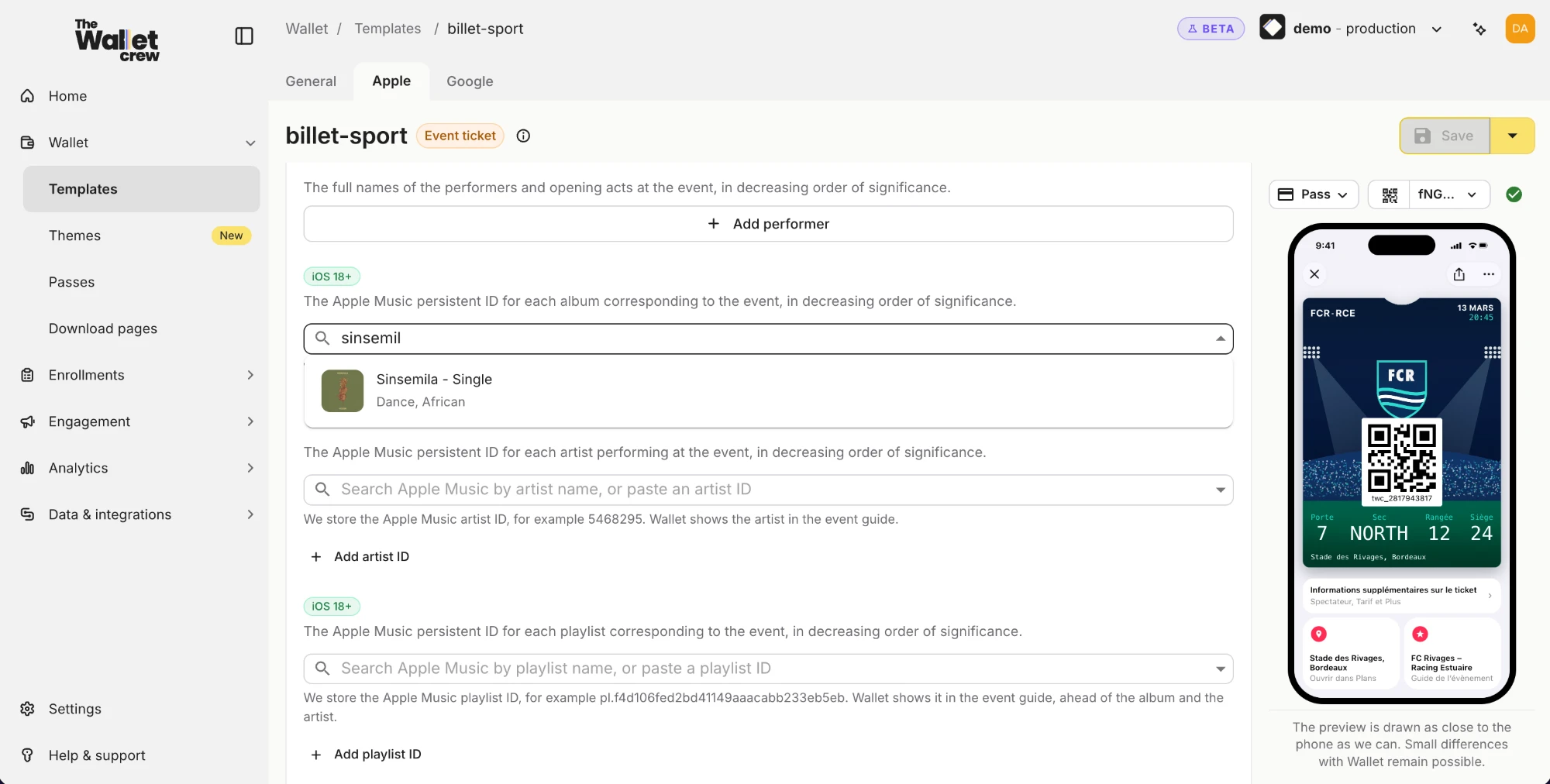
The Wallet Crew supports the poster event ticket and its options from the event ticket template, with a live iPhone preview. Event data (event name, date, venue, gate, section, row, seat, performers) comes from your ticketing system, and the same template also produces the classic ticket for older iPhones and the Google Wallet version.
- Set up the poster layout, the event guide, performers, Apple Music links and NFC in the template editor (documentation).
- Connect your ticketing system, for example SECUTIX, Tick&Live, vivenu or Yurplan.
- Update tickets after issue (time change, gate, seat) and notify holders with push notifications.
- Check tickets at the entrance with Pass Scanner, using QR code or NFC.
Upcoming events: one ticket for several dates
In 2025, Apple extended poster event tickets with upcoming events: one pass can list several future events, each with its own date, venue and seats. This suits season tickets and memberships for venues and clubs, and The Wallet Crew supports it.
Who it is for
Concert halls, theaters, festivals, sports clubs, museums and trade shows: any organizer that sends tickets to iPhone users. See our digital tickets use case and culture & sports.
FAQ
Do attendees need to update anything?
They need an iPhone on iOS 18 or later to see the new design. Older iPhones show the classic ticket.
Does it work on Android?
Poster event tickets are an Apple Wallet format. The Wallet Crew issues the same ticket for Google Wallet with Google's own event ticket design.
Can I convert my existing tickets?
Yes. Once the template uses the poster style, tickets already issued switch to the new design when they are refreshed.
Conclusion
The enhanced event ticket turns the Wallet pass into a real event companion: seat, directions, weather and live updates in one place. Talk to our team to issue them from your ticketing system.