A ticket, an invitation or a card in Apple Wallet and Google Wallet can be checked in two ways: by presenting a QR code to a camera, or by holding the phone near an NFC reader. The second gesture is the one used for contactless payment, already familiar to billions of users. At an event entrance, a venue reception or a checkout, it saves time and strengthens security, provided you understand what belongs to the wallet, the reader and the platform. This article explains how NFC works in wallets, what it takes to set it up, and which partners The Wallet Crew deploys it with. For an introduction to NFC in wallets, see our overview article.
What NFC changes at the point of control
With a QR code, checking a pass takes two gestures from the holder: finding the pass, then presenting it. Presentation is the fragile step. The screen must face the camera, avoid glare, and wait for focus. Each retry costs a few seconds, and in a queue they add up. Geolocation or a time-sensitive notification eases the first gesture: the pass appears on the lock screen as the holder arrives at the venue.
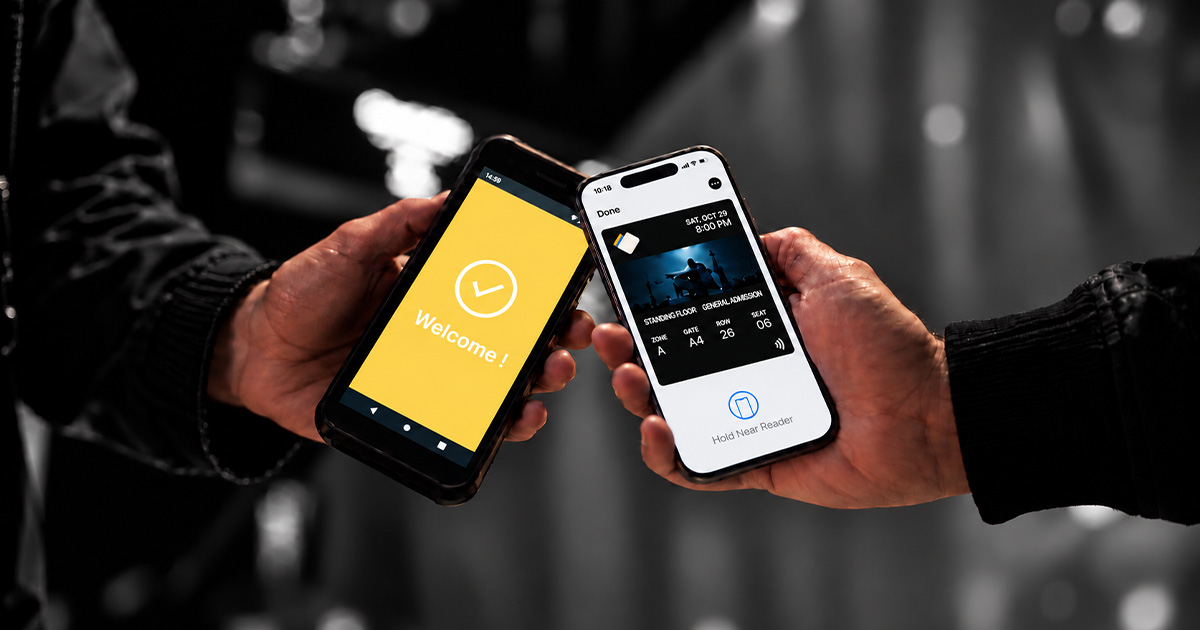
With NFC, both gestures disappear. The holder does not have to find the pass: the reader announces itself to the phone, and the wallet automatically presents the matching pass. Nor do they have to present it: they bring their phone or watch close, and it is read, whatever the orientation of the screen.
Among companies equipped with Pass Scanner, time spent on identification, access control or checkout drops by 10 to 20%.
How the reader finds the right pass
In both wallets, the reader starts by identifying itself to the phone. With Google, it sends a collector ID, and Google Wallet only returns the passes that match. With Apple, the VAS protocol follows the same logic: the reader announces which passes it is configured for, and the wallet presents the right one. The holder does not have to search for their pass.
Unlocking is a separate question. For tickets, loyalty cards and membership cards, the holder confirms the gesture: on iPhone with Face ID, Touch ID or their passcode, as for a payment; on Android from the unlocked screen. Apple's Express Mode, which reads a pass without waking the phone, is reserved for pass types approved by Apple, mainly in transit.
An identifier is read, a system must answer
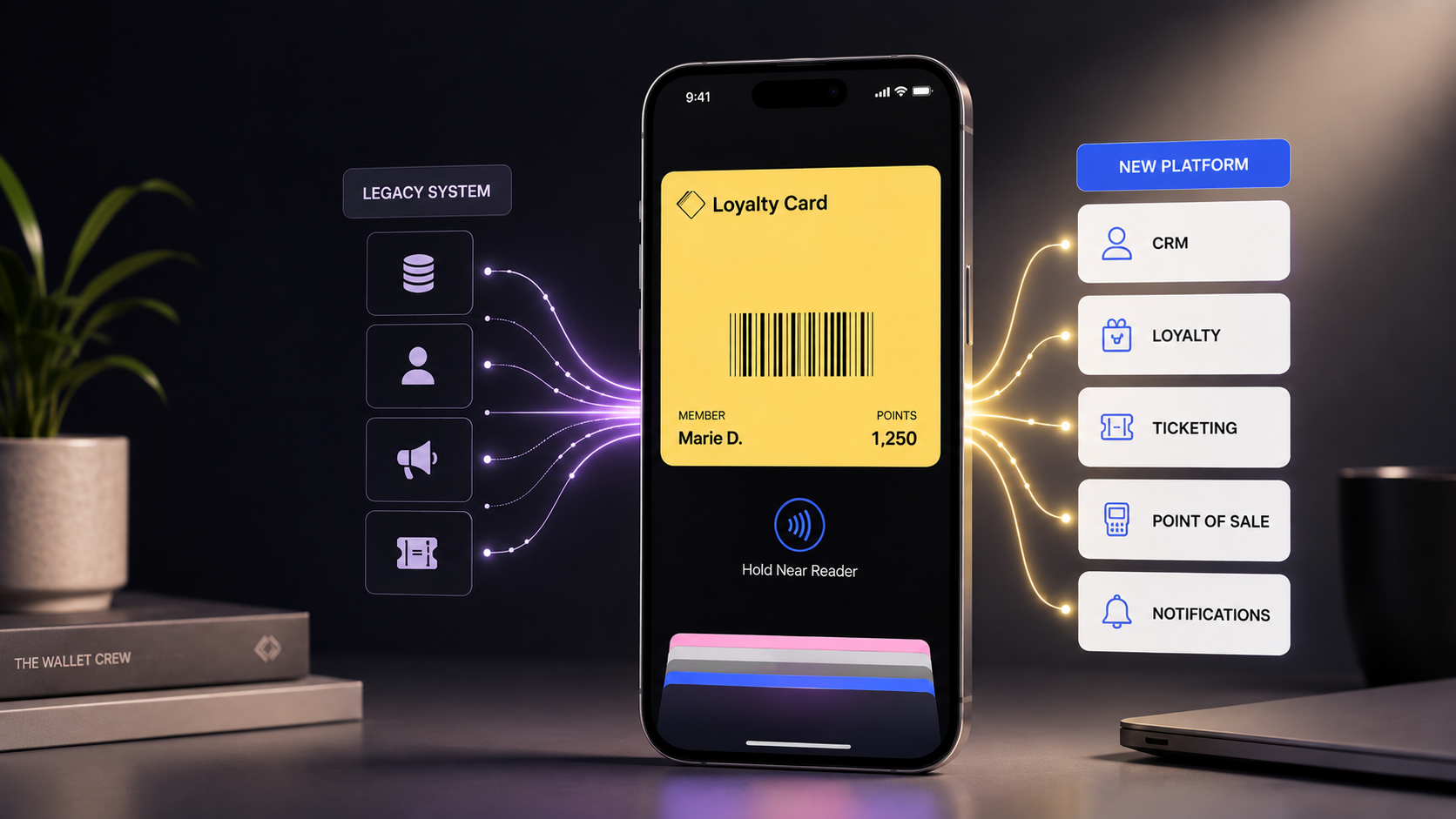
Let's be precise about what NFC transmits: an identifier, nothing more. The reader reads it in a fraction of a second, and that already matters. But an identifier alone does not say whether the ticket is valid, whether the membership is current, or which benefit to unlock. That answer lives in your systems: ticketing, CRM, loyalty program, point of sale.
This is where The Wallet Crew comes in. The platform links the identifier that was read to the pass and the data it is built from, themselves connected to your systems. The agent sees the pass, its up-to-date information and the benefits attached to it, and every read is recorded as an event. The Wallet Crew is not an access control system: the decision to open a door or validate a ticket stays in your ticketing or control tool. The reader manufacturer guarantees the read, Apple and Google guarantee the protocol, your systems hold the business truth, and The Wallet Crew is the layer that connects them, without you having to integrate them one by one.
What it takes to set it up
Four steps, only one of which falls to the company:
- Activation: the company enables NFC on its Apple or Google developer account.
- Keys: The Wallet Crew provisions the encryption keys, automatically.
- Issuance: passes are issued with their NFC identifier.
- Reading: the reader must be certified by Apple for VAS and by Google for Smart Tap. This certification is not a formality: it is what allows the reader to receive the issuer's keys and decrypt the pass. A standard NFC reader does not read a Wallet pass. To check a device, Apple provides a certified reader search and Google publishes the list of Smart Tap compatible terminal providers. The Wallet Crew works with every hardware provider certified by Apple and Google, with more or less configuration depending on the reader, and recommends those it has validated in production.
The rest of the integration (ticketing, CRM, validation rules) is the same as for any connected pass from The Wallet Crew.
Three partners, three contexts
These three types of hardware are not interchangeable: each fits a place and a gesture.
Zebra, for mobile control with Pass Scanner
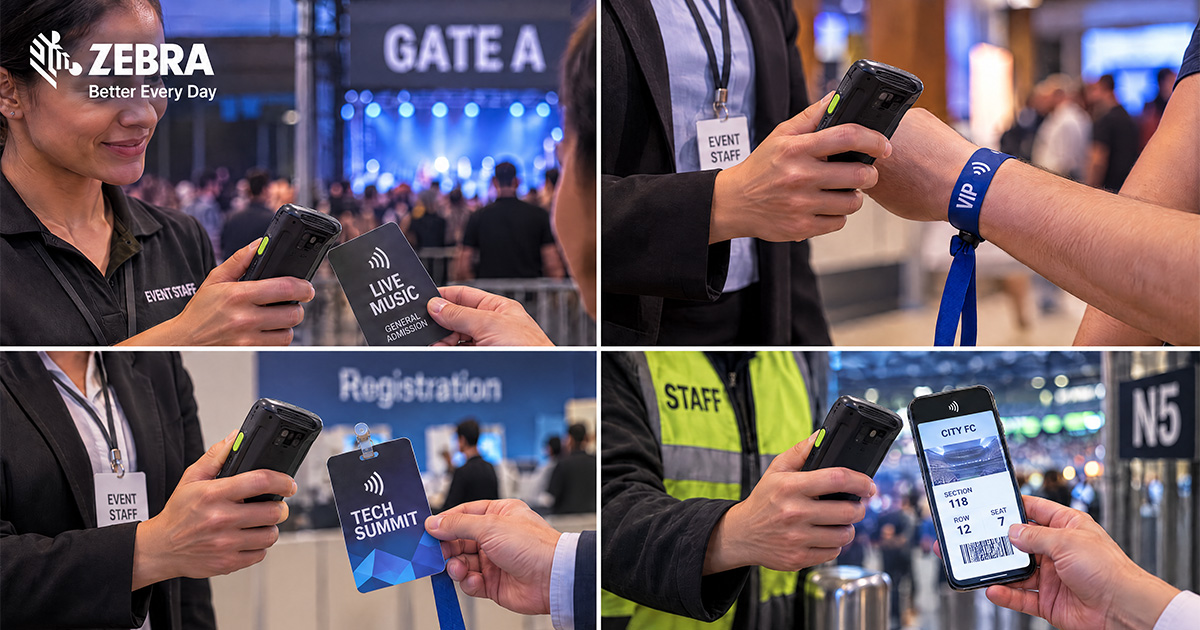
Zebra terminals are professional mobile computers with an NFC reader certified for Apple VAS and Google Smart Tap. Pass Scanner runs on them in production: the agent moves through the queue or at the entrance, brings the terminal close to the holder's phone, and validates an invitation, a booking or an entry in one gesture. Example: at a partner evening, each guest presents their Wallet invitation to the terminal, and the agent immediately sees whether access is valid and which benefit is attached.
"Reading passes via NFC technology is profoundly transforming the events industry and, more broadly, hospitality. Combining enhanced security with extreme fluidity, this innovation transforms the site access experience. With a portfolio of mobile terminals fully compatible with the two leading digital wallets on the market, Apple Wallet and Google Wallet, Zebra supports its customers towards ever more dynamic and mobile access control. This agility not only diversifies and optimises on-site reception capacity, but also enables tailored, differentiated experiences by ticket category. Beyond ticketing, our terminals include secure mobile payment features. We are opening the way to a true mobile transactional ecosystem directly in the field: last-minute ticket purchases, instant category upgrades, add-on services or merchandising, the act of buying becomes simple, fast and seamless."
Virgile Bourdelin, Channel Sales Director, Zebra
Details on the Zebra page.
Dot Origin for fixed physical infrastructure
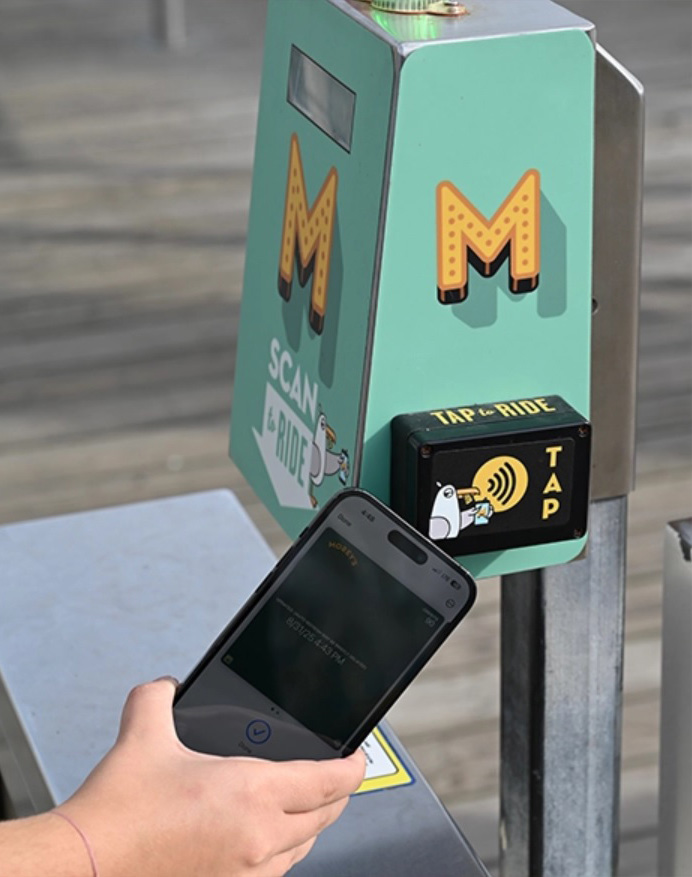
Dot Origin’s VTAP readers bring Apple Wallet and Google Wallet NFC passes into fixed physical infrastructure, including turnstiles, entrance gates, reception desks, kiosks and retail checkouts. They connect the customer’s tap to the ticketing, membership or access-control system responsible for deciding what happens next.
Drawing on experience across ticketing and access control, Dot Origin helps venues make admission faster and more consistent. In suitable deployments, NFC validation can process people up to four times as quickly as QR-code scanning, reducing queues and avoiding the need to align a phone screen with a camera.
"Our experience in ticketing and access control shows how much the physical interaction matters. VTAP readers integrate NFC Wallet passes into turnstiles, gates, kiosks and reception points, giving customers a familiar tap while connecting to the venue’s existing systems. In suitable deployments, this can deliver up to four times the throughput of QR-code scanning, helping venues move people through entrances faster."
Neil Garner, Strategy Director, Dot Origin
Details on the Dot Origin page.
Adyen, for checkout and payment
Connected to POS and mobile POS solutions, the Adyen terminal reads the Apple Wallet loyalty card at the time of payment. In single tap, the card and the payment are processed in one presentation. In double tap, the holder presents their card first, then pays with another method. This route requires an agreement with Apple and compatible terminals.
Details on the Adyen page.
Security comes from two layers
A static QR code is an image: it can be photographed, forwarded, printed. Before the doors of an event open, a screenshot can circulate between several people. Google Wallet's rotating QR codes, which regenerate continuously and which Pass Scanner can read, already address that risk. NFC closes it entirely: the exchange between the pass and the reader is encrypted by Apple's or Google's protocol, and an uncertified reader cannot read the pass.
NFC alone, however, does not prevent two entries with the same pass. Business logic does. With The Wallet Crew, a benefit attached to the pass (an entry, a consumption, an offer) can only be redeemed once: Pass Scanner marks it as used and refuses a second activation, whatever the control point. For a ticket whose validity is managed in your ticketing system, that system decides, based on the identifier that was read. Reading the pass requires no network, in NFC as in QR code; only validation queries the platform, as for any barcode.
The Wallet Crew does not store sensitive personal data. Each scan is sent to the platform as an event linked to the pass: read, validation, benefit redeemed, date and control point. Architecture details are on the security, compliance and integrations page.
After the check: what a scan triggers
Entry is not the end of the journey. The scan of a ticket, an invitation or a card is a dated event, attached to a holder identified in your systems. It triggers an on-site offer, a consumption, access to a reserved area, or feeds your CRM for a follow-up after the event. An NFC check opens an interaction; it does not just close a door.
Use cases
- Event tickets: fast control, a pass that cannot be copied, better flow.
- Invitations and bookings: quick to deploy for a private evening, a partner event or booking-based access.
- Membership and loyalty cards: gym check-in, checkout identification, VIP area access, in culture and leisure venues.
Detailed use cases are on the digital tickets page.
Pass Scanner: QR code and NFC in a single app
Pass Scanner is The Wallet Crew's iOS and Android app for scanning Apple Wallet and Google Wallet passes on site and activating benefits in real time: access, offers, services, consumptions. QR scanning works on your teams' existing smartphones and tablets, after a QR code login, with no account creation. NFC reading works on certified Zebra terminals.
Want to know more? Discover Pass Scanner or contact The Wallet Crew.