

Boost engagement and sales with mobile loyalty cards, tickets and coupons
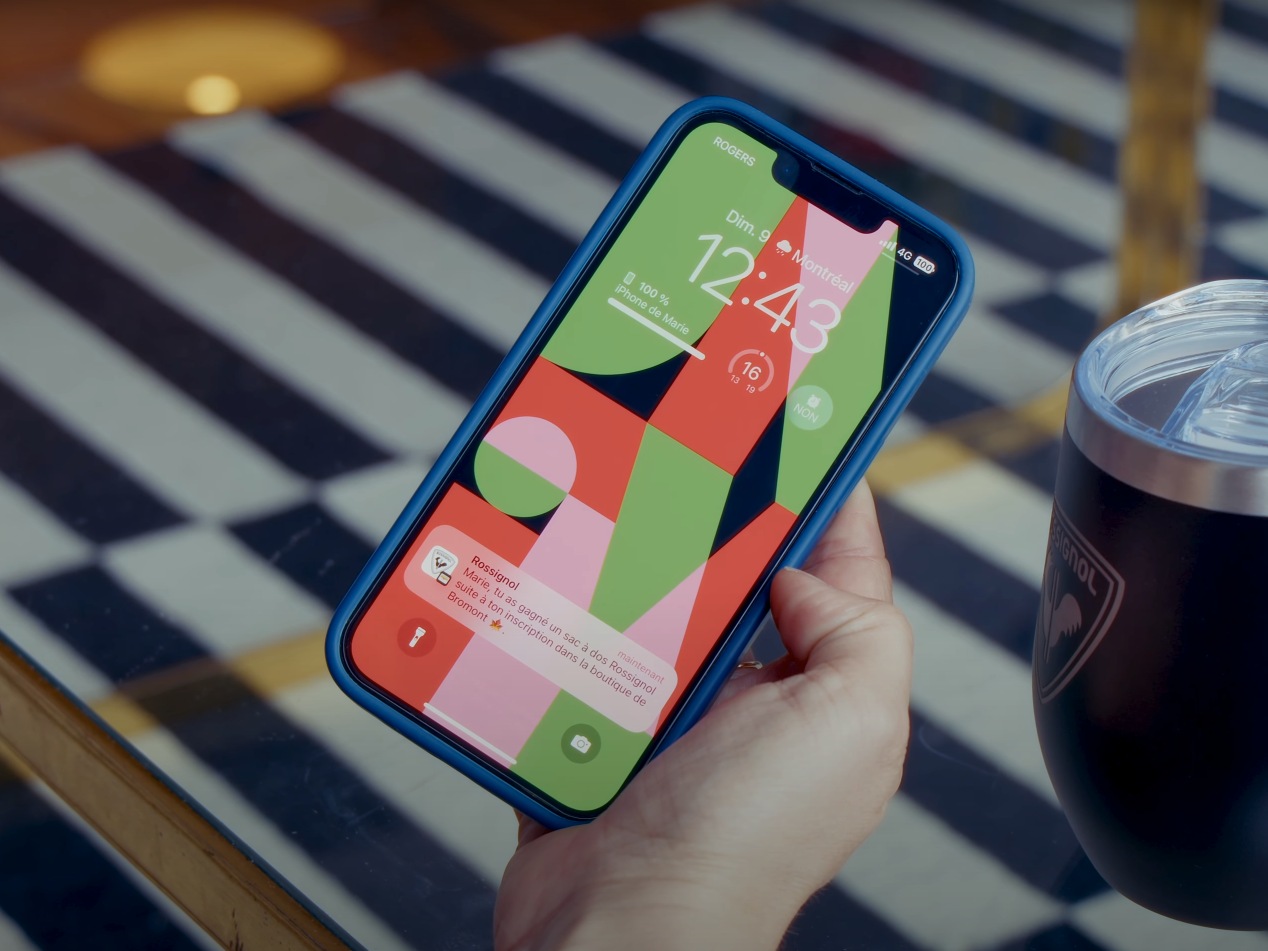
In Apple Wallet and Google Wallet, your passes come alive: real-time updates, seasonal designs, push notifications and rewards redeemable in store. And every click is tracked.
More engagement, more sales
Averages observed across our customers.
+40%
average spend per customer who keeps their card in the Wallet.
+25%
repeat purchases per year among customers with a Wallet card.
€0
per message sent: unlike SMS, Wallet push notifications are not billed per send. Engage your customers as often as you need.
Five ways to bring customers back
A Wallet pass is always on the phone. You still need to give customers a reason to open it.
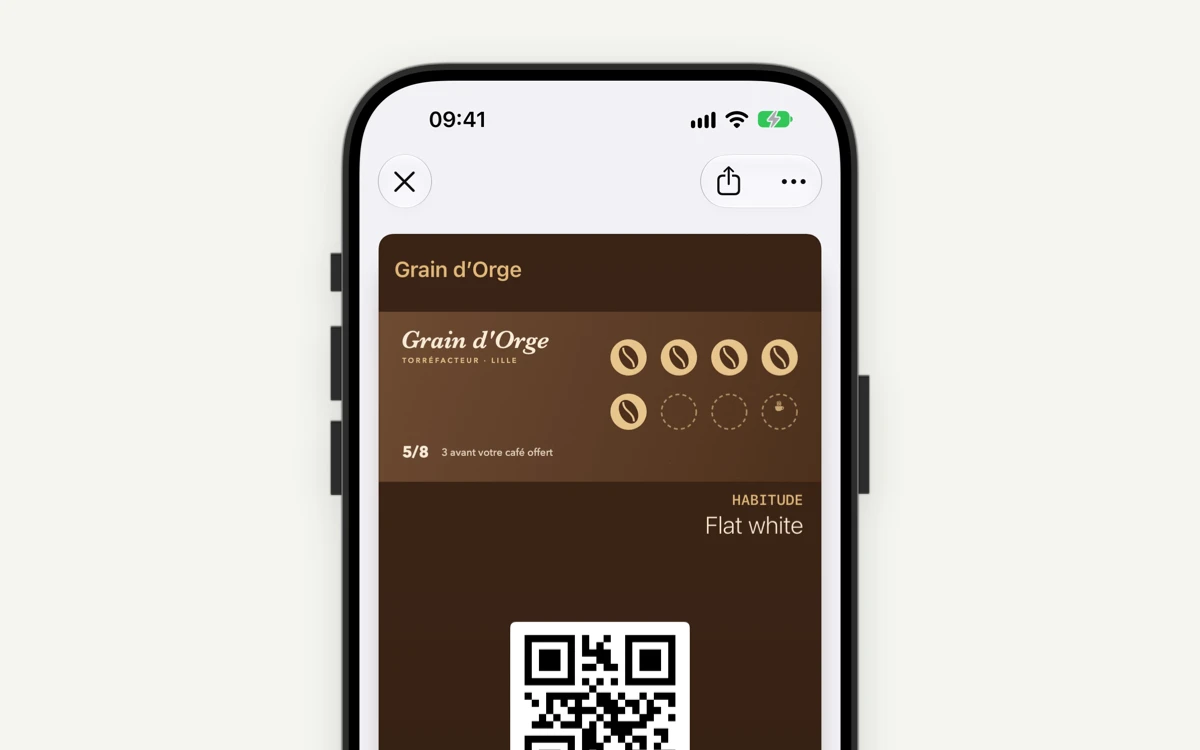
Live passes
Points, tier, balance or next event update automatically from your CRM, POS or ticketing system.
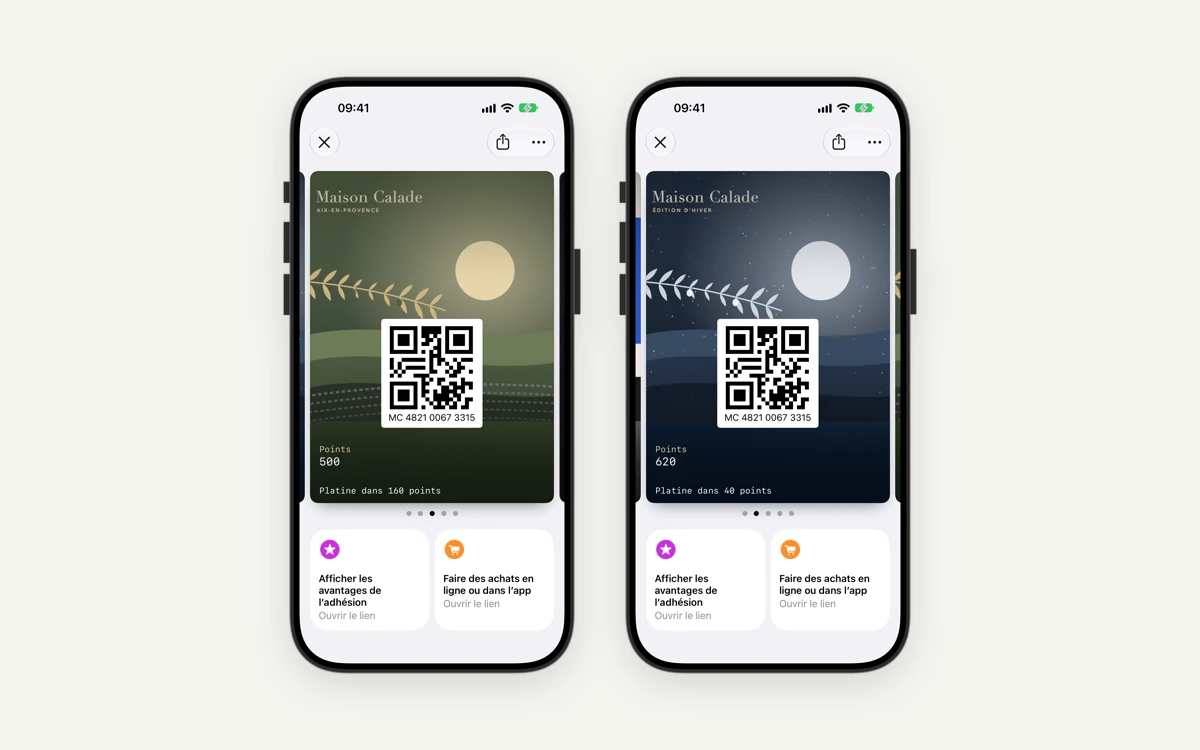
Seasonal designs
Christmas, sales or key moments: apply a theme to your passes for a campaign, without reissuing them.
.png)
Wallet push notifications
Your messages on the lock screen, no app required: send instantly, schedule, or trigger from your own tools.
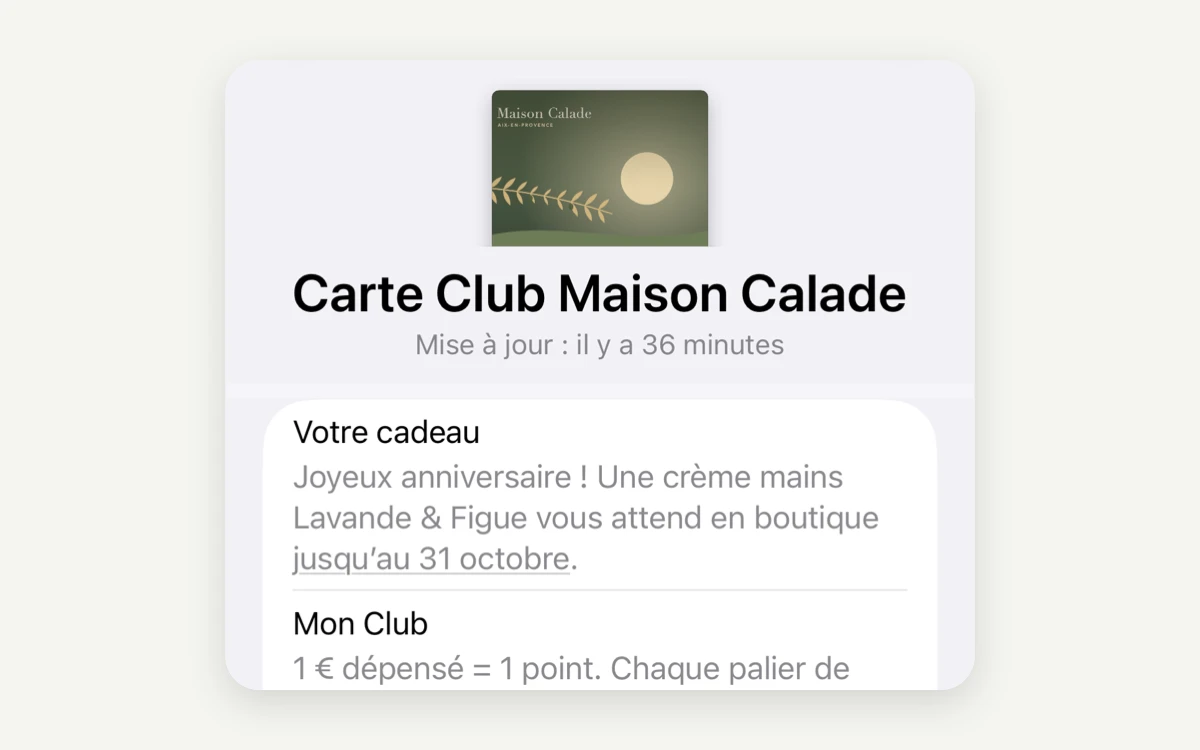
Rewards inside the pass
Discounts, gifts, VIP access or unlockable rewards, single-use, unlimited or multi-use.
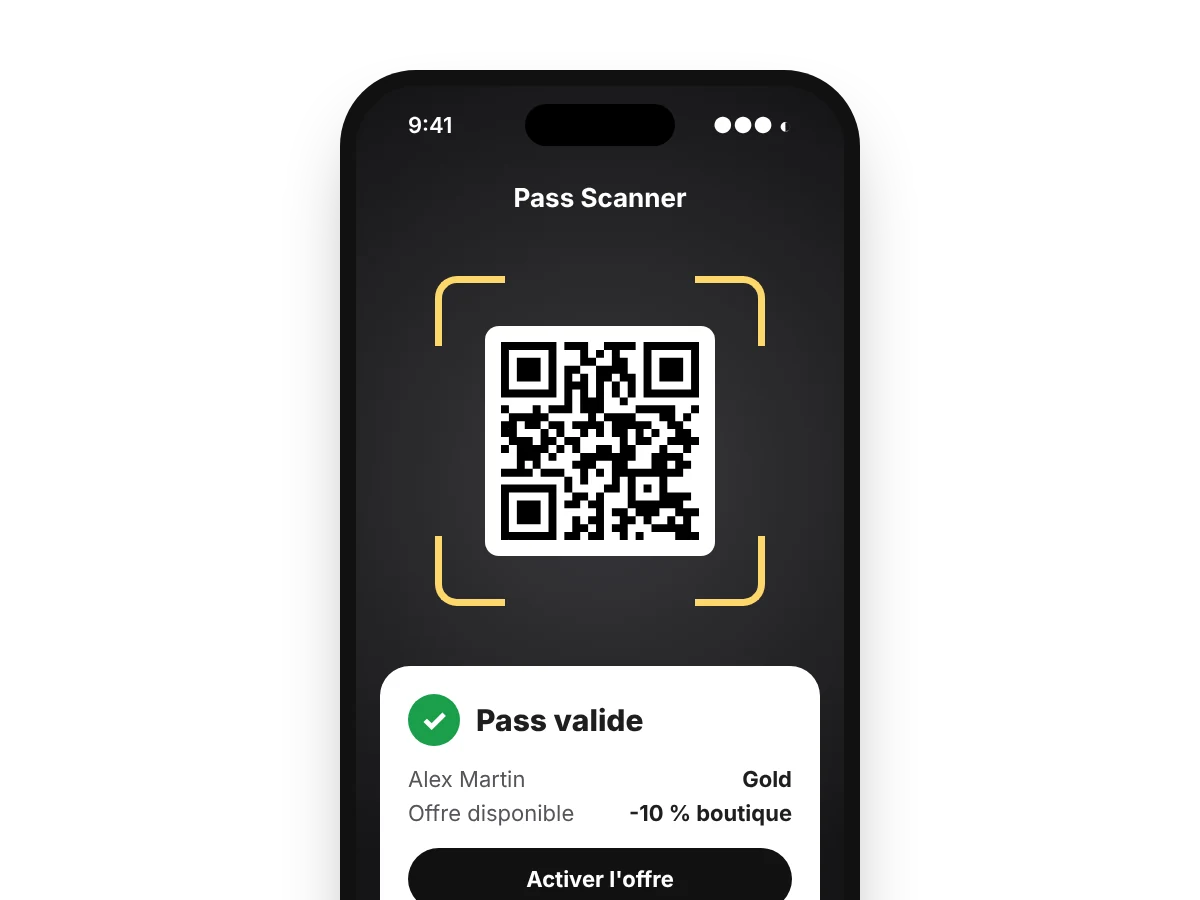
In-store redemption
The customer shows their pass, your staff scans it with Pass Scanner or your POS: the reward is redeemed and recorded.
Every click is tracked
Links in your passes are tracked campaign by campaign, so you know what each lever delivers.
Wallet pass analytics: every interaction is tracked
Apple and Google report neither notification opens nor pass views. The Wallet Crew tracks everything else, event by event, so your marketing teams know what each campaign delivers.
Pass installed
Every add and removal from the Wallet: your pass adoption, day after day.
Pass updated
Points, tier, theme or reward: every change is timestamped.
Notification sent
Which pass, which message, when, and from which campaign.
Link clicked
Clicks on pass links, with UTM parameters added automatically for your analytics tool.
Pass scanned
At the POS or with the Pass Scanner app: you know when the customer visits the store.
Offer redeemed
The reward used through Pass Scanner: from notification to purchase, the loop is closed.
Combine these events with your CRM and sales data
All these events are available from The Wallet Crew MCP server. Query them in plain language from your AI assistant, alongside your other tools: CRM, POS, e-commerce, ticketing. They also flow into your marketing tools through our connectors.
From your marketing tools, or our automation engine
Your teams run Wallet campaigns where they already work, with no development.
In your customer journeys, next to email and SMS
Salesforce Marketing Cloud · Klaviyo · Bloomreach · Batch · Actito · Brevo · Adobe Campaign · Imagino
Update a pass, send a notification or add a reward at any step of the journey. Installs, uninstalls and scans flow back into your segments to target, re-engage or exclude.
No marketing tool? It's all in the back office
Triggers: immediate, fixed date, recurring, before or after a pass date, or as soon as it is added to the Wallet. Target by Wallet, template, pass data or customer IDs. Every send is logged.
Location-based notifications and iBeacons
The pass surfaces on the lock screen when the customer is near your stores, venues or stadiums. The right moment to remind them of a reward.
Geolocation
Up to 10 locations per pass, on Apple Wallet and Google Wallet, with your message.
iBeacon
Bluetooth beacons at a store or venue entrance for a close-range reminder, on Apple Wallet.
Per pass or per template
Locations and beacons are set once in the template, or pass by pass based on the customer's store.
Wallet push notifications FAQ
Do you need an app to send push notifications?
No. Notifications go through Apple Wallet and Google Wallet, already installed on your customers' phones.
How many notifications can you send?
Google Wallet allows up to three notifying messages per pass in 24 hours. On Apple, each notification comes with a pass update. Either way, fewer, useful messages work best.
What is the difference between a standard and a location-based notification?
A standard notification is sent when you decide, from the back office, an automation or your CRM. A location-based notification is triggered by the customer's phone when they are near a location saved on the pass.
Do location reminders work on Android?
Yes, GPS proximity works on Apple Wallet and Google Wallet. Bluetooth beacons are specific to Apple Wallet.
Is consent required to send offers?
Promotional messages generally require explicit marketing consent, separate from the phone's notification settings. The sign-up form can collect it.
Can you measure campaign performance?
Yes. Apple and Google report neither notification opens nor pass views, but The Wallet Crew tracks every other event: pass installed, updated, notification sent, link clicked, pass scanned at the POS or with Pass Scanner, offer redeemed. These events are available from the MCP server to combine with your CRM and sales data.
Which marketing tools are connected?
Ready-to-use connectors exist for Salesforce Marketing Cloud, Bloomreach, Klaviyo, Actito, Brevo and Batch, plus flat-file exchanges for Adobe Campaign and Imagino. Depending on the tool, they distribute passes, run campaigns and retrieve Wallet events. Other tools use the API and webhooks.
How is a reward redeemed in store?
The customer shows their pass. Your staff scans it with Pass Scanner or your POS software, and the redemption is recorded. One pass can carry several active rewards at once.
Explore more
Ready to board?
Tell us about your Wallet project and see the platform in a demo.